
Procore
Cost Plus
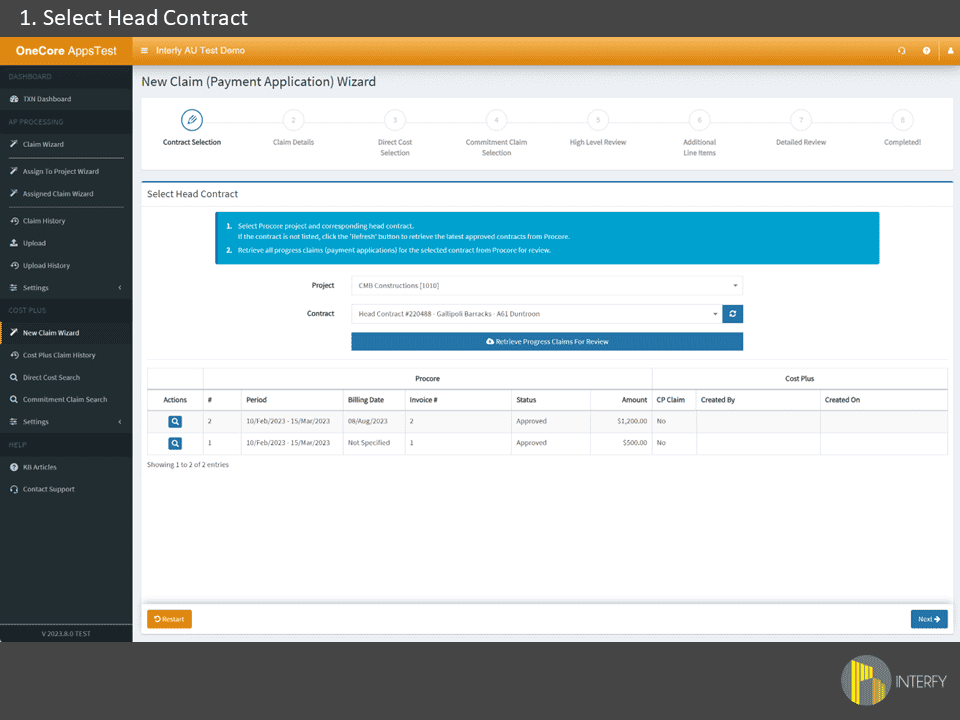
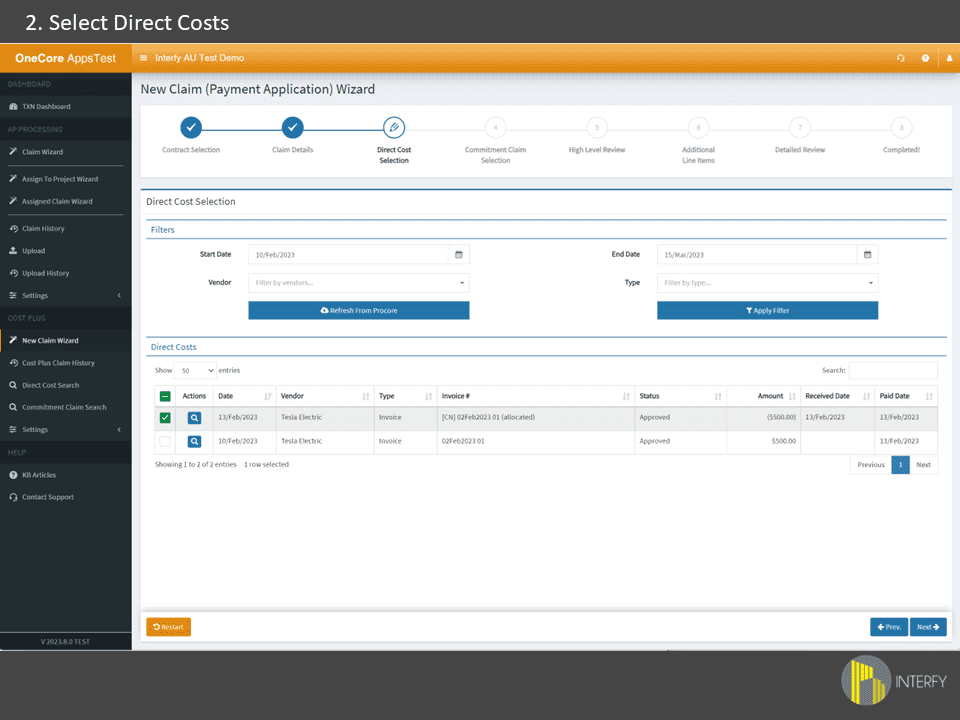
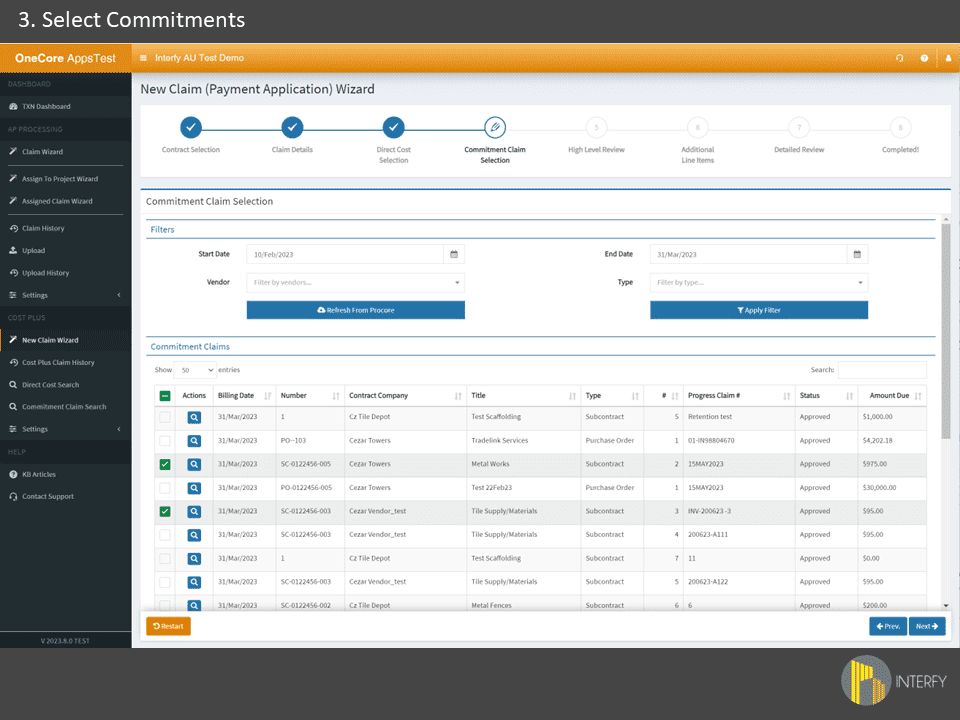
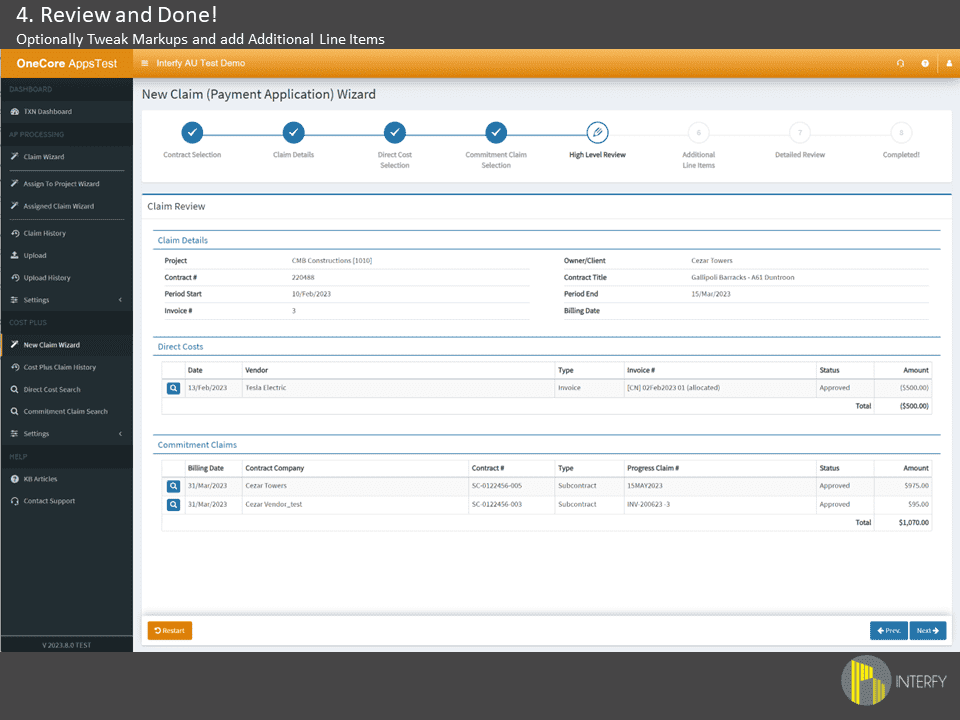
Streamlined cost plus claims for Procore – available as a standalone module or add-on to your OneCore integration
Never miss a reimbursable cost on a cost plus project again
.svg)

Taranaway Construction
See how Taranaway streamlined 90% of their revenue through automated cost-plus reporting, saving a full day per project and achieving client approvals 2-3 days faster.
“CostPlus helps us see what has been claimed and what hasn’t, and produces the claims very quickly.”
"The Cost Plus module saves us a full day per project. Additionally, the way it presents information to clients means they are approving invoices 2-3 days faster."
“Interfy is saving us $10-20K a month that would otherwise be spent on a third-party accounting company.”
Explore More
Sync budgets, commitments, claims and timesheets directly with your accounting software.
Automatically sync timesheets, leave and allowances from site to your accounting system – for specialty contractors managing equipment and complex EBA requirements.
Process supplier invoices faster – without opening Procore. Your accounts team works in familiar territory whilst maintaining complete commitment tracking.
Transform timesheets into real-time project costs. Apply burden rates by role, handle complex EBAs, see labour costs hit projects immediately (not at month-end).
You’re in good hands from day one
We've onboarded over 700 construction businesses across the globe. Our process is structured to minimise disruption and set you up for long-term success, years beyond go-live.

Integration
Requirements
The following Procore product lines are required to use Cost Plus:
- Commitments
- Direct Costs
- Head Contract / Prime Contract
Subscriptions and licensing:
- A valid Procore account with Admin access is required
- No accounting system integration required – Cost Plus works independently
For pricing and new integration enquiries: hello@interfyconnect.com
FAQs
OneCore is the most widely used integration that has been improved and iterated since 2017, and has a client base of over 800 customers.
Taxes are not included in your Procore Construction Financials. Xero will calculate the taxes for your invoices based off the account code that’s been mapped.
Our integration supports retention. We have multiple methods of handling retention between Procore and Xero. Please contact us for a demo to see how it works.
We just need to map your cost codes and vendors, switch it on and then you’re good to go!
We are always testing Xero connected apps to determine compatibility with OneCore. Our Direct Costs module is compatible with Receipt Bank once bills are approved in Xero and it will automatically push these through to Procore.
Our integration platform sits in data centres stored in Australia (Amazon Web Services), and we only store skeleton records to provide you with audit history once the data has been sent between Procore or Xero.
We are an Australian-based company. Support is provided via phone during Australian and US business hours as well as e-mail support.

Ready to simplify your systems?
Book a demo and see how Interfy can transform your workflow.

